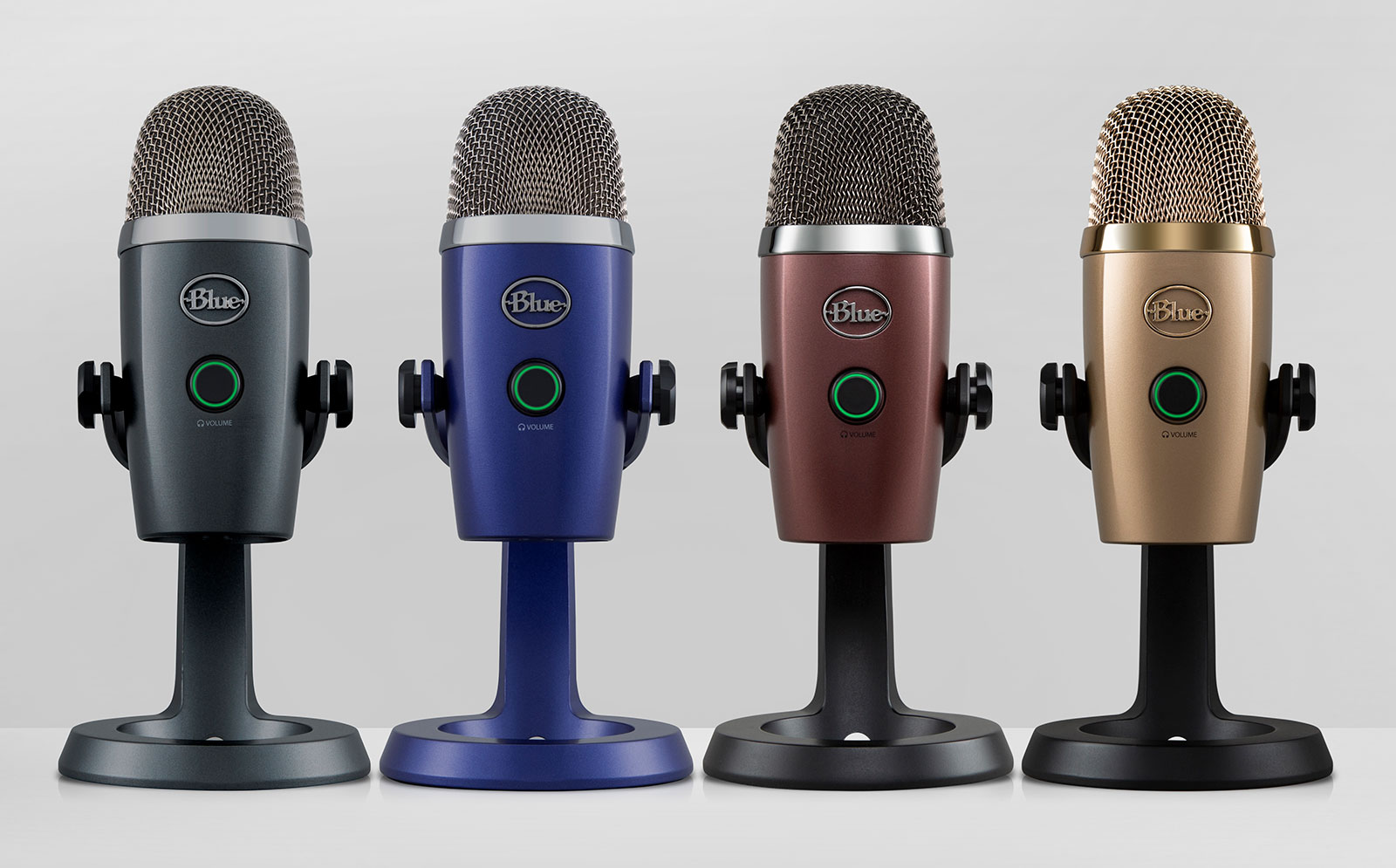

總之呢,Blue Yeti會用一用莫名其妙地發生USB裝置無法辨識的問題。花了一點時間找中文的解決方法,但都沒辦法搞定,只好到官網看英文的FAQ,結果第一項就是辨識問題: My Blue USB mic is not being recognized on my computer (Windows PC).
我用的是以下的方法排除故障:
- If the microphone is not being recognized on your Sound Menu, then we can check its recognition on your Device Manager. You can find the Device Manager by typing “Device Manager” into your Windows Search box.
- Expand your Sound, Video, and Game Controllers list in your Device Manager to reveal your drivers.
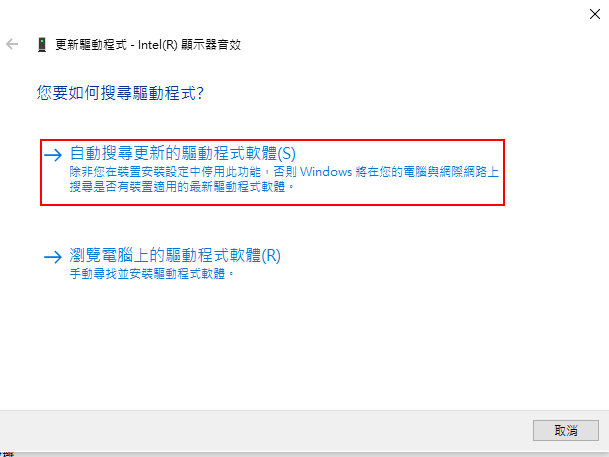
- Right click on one driver other than your Blue Mic, Select “Update driver software”, select “Search automatically for updated driver software”, then wait for the finishing prompt to show up.
- Repeat these steps for each driver besides your Blue Mic under Sound, Video, and Game Controllers. This updates the sound drivers on your computer.
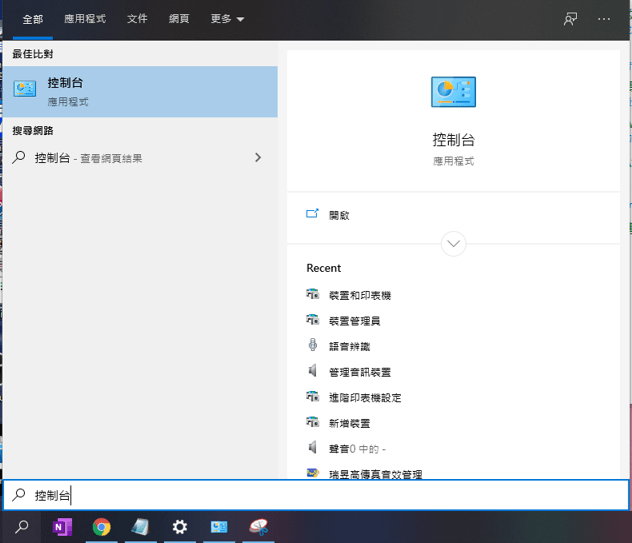
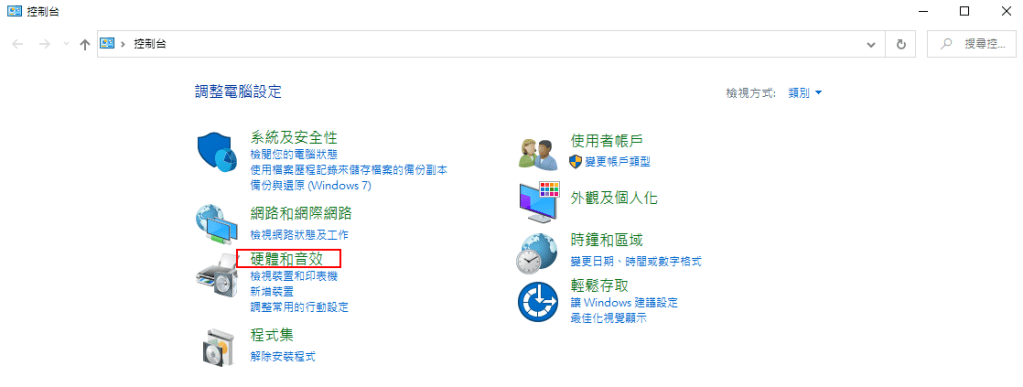
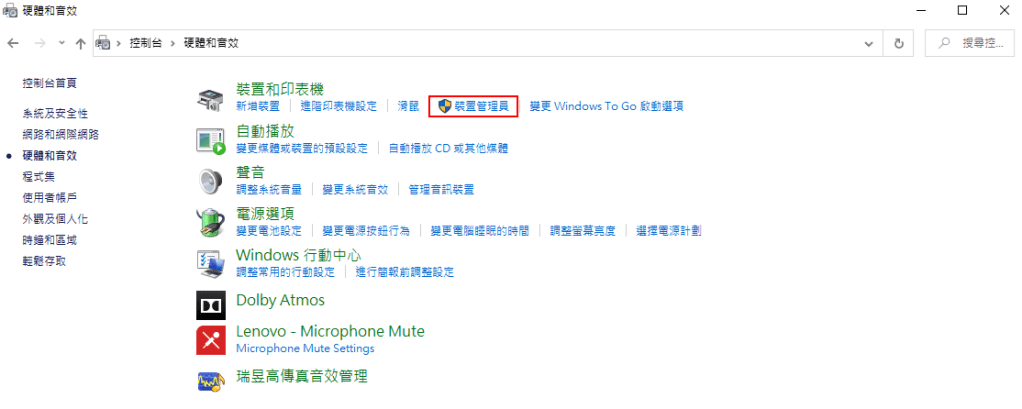
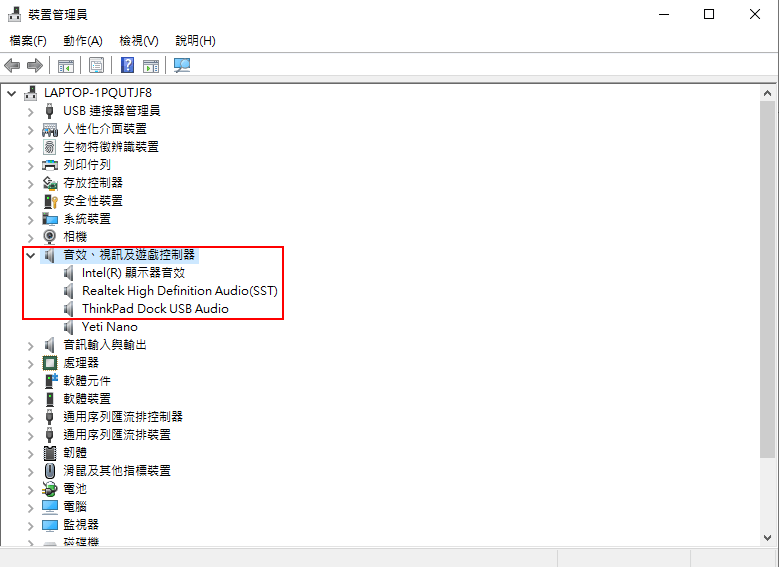
我現在Yeti Nano有被辨識到,所以它有出現。當辨識有問題的時候,Yeti Nano是不會出現的。要做的事就是按右鍵把其他所有的裝置都點選更新驅動程式。
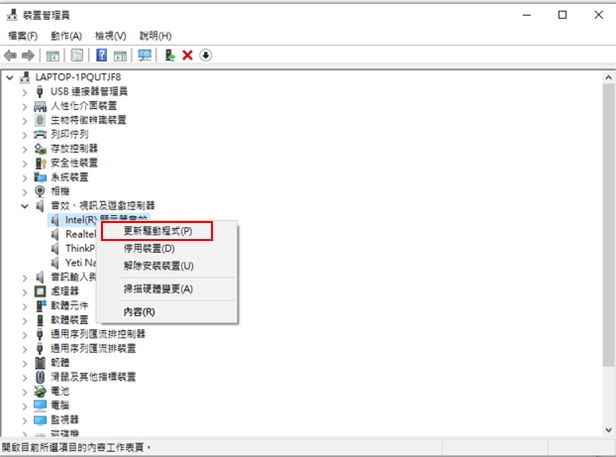
然後都點選自動搜尋更新的驅動程式軟體,我的情況是每個都是最新不用做任何事。但是神奇的事發生了,當我把其他的裝置都進行這樣的操作,再把Yeti Nano的USB插進去後,我的電腦就有辦法辨識Yeti Nano了!
 Pen-Pen's Side Quests